
 By gail
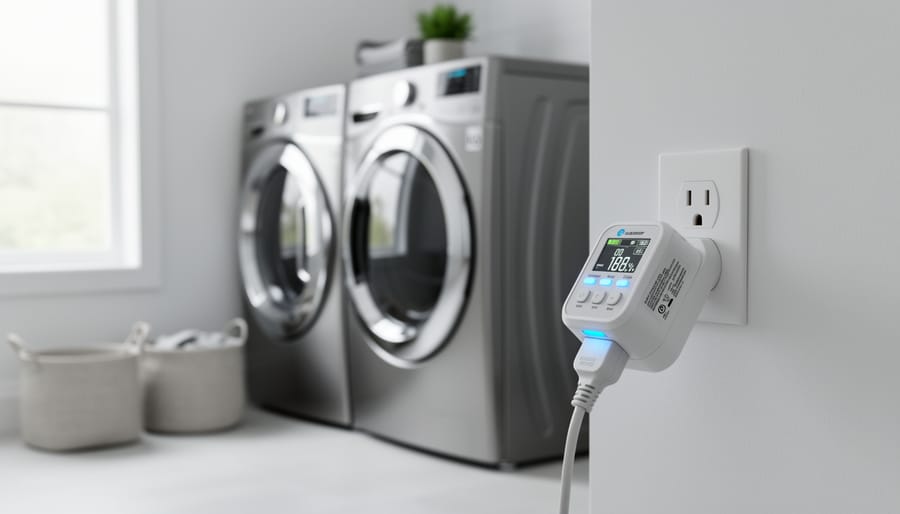
Yes, you can automate or monitor a washer and dryer with a smart plug, but only if the device matches the appliance’s voltage and amperage. That single check separates a safe setup from a tripped breaker or worse. Standard plug-in models handle lighter loads, while dryers on 240V circuits call for 240V-compatible options or an energy monitor with clamp sensors rather than a simple outlet adapter.
In the interest of transparency, we earn a commission on some purchases made through links on this site. As an Amazon Associate I earn from qualifying purchases.
Done right, the payoff is practical. You get remote control through an app or voice assistant, and many models work with Alexa and Google Home. Monitoring adds another layer: a WiFi Smart Power Meter that ships with 2pcs 80A sensors can track a washer and dryer, so you can spot cycle completion, idle draw, and unusual usage patterns. For facilities teams managing shared laundry rooms, that kind of visibility supports smarter scheduling and more efficient energy use.
This guide covers what to weigh before you buy, compares plug and meter types, and walks through eight products. If you want the broader framework first, our guide to smart plugs appliance automation explains the selection principles in more depth.
Why Automate a Washer and Dryer With a Smart Plug?
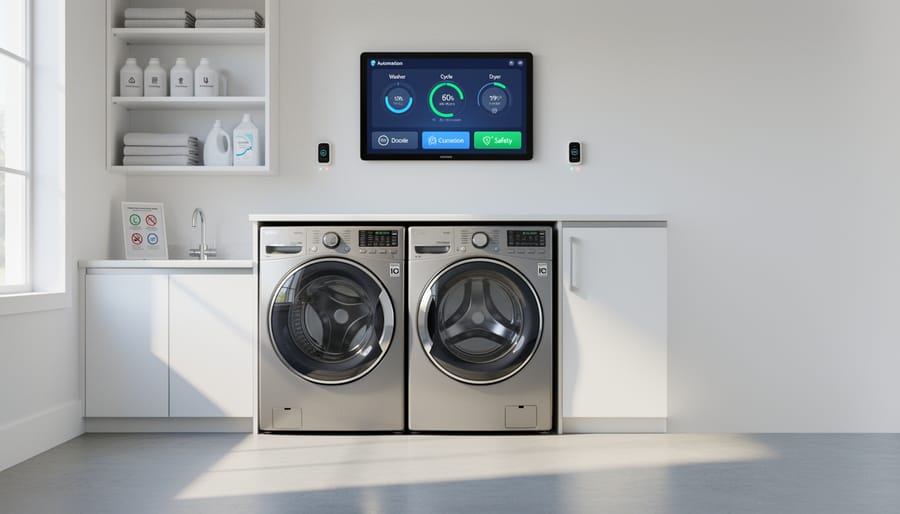
A smart plug turns a standard appliance connection into something you can control from a phone or a voice command. For a washer and dryer, that adds a layer of convenience and oversight that older laundry rooms rarely have. This is one practical example of Smart Plugs for Appliance Automation, and it applies equally to a property owner managing a few units or a facilities manager overseeing shared laundry rooms and maintenance spaces.
The core benefits are straightforward:
- Remote on/off control through an app, so you can switch an appliance without walking to it.
- Voice commands through Alexa and Google Home integration.
- Scheduling, so power is available only when you expect it to be used.
- Usage visibility, since some devices, such as the WiFi Smart Power Meter, can monitor a washer and dryer.
Scheduling and monitoring also support smarter operations. When you can see how and when appliances draw power, you can spot unusual patterns and adjust routines. That kind of insight is part of the broader logic behind energy-efficient cost savings: visibility first, then informed decisions.
Keep expectations measured, though. A smart plug doesn’t make a washer or dryer more efficient on its own, and results depend on how you use the controls. Compatibility matters just as much. Some options support 240V systems, and one example, the Sintron ST-004, is rated up to 16A. The next sections explain how to match a plug to your appliance before you buy.
Key Buying Factors: Amperage, Voltage, and Compatibility
Reading Your Appliance’s Electrical Rating
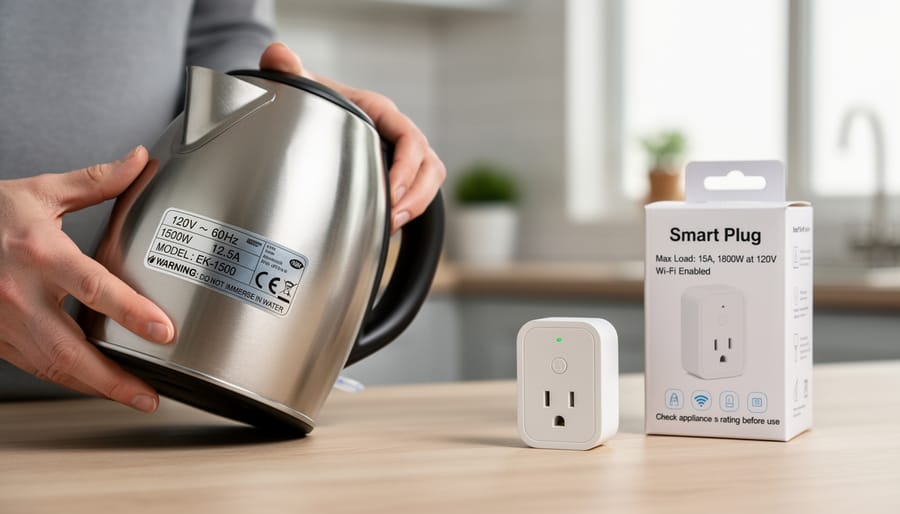
Every washer and dryer carries a nameplate, usually a small label or sticker. On a washer it’s often inside the door frame or on the back panel. On a dryer, check inside the door opening, on the back, or along the cabinet edge. Look for two numbers: voltage (V) and current in amps (A). Wattage may be listed too.
Amps tell you how much current the appliance draws, and that’s the figure a smart plug’s rating has to cover. A plug supporting up to 16A, for example, only makes sense for appliances that draw less than that. Voltage tells you which circuit the appliance expects.
This is where washers and dryers part ways. Washers typically run on standard household circuits, since the motor and pump don’t demand much. Many dryers, especially electric models, run on 240V circuits because the heating element draws far more power. A plug built for 120V won’t be appropriate for them, though smart plugs compatible with 240V systems do exist.
Keep a photo of the nameplate on your phone. It makes comparing products much easier.
Wi-Fi, Apps, and Voice Assistant Support
Before you buy, confirm three connectivity details. First, check the Wi-Fi band. Many smart plugs and meters, including the WiFi Smart Power Meter in this guide, connect only to 2.4GHz networks. If your router combines 2.4GHz and 5GHz under a single network name, you may need to temporarily switch your phone to 2.4GHz during setup. Laundry rooms are often far from the router, so test signal strength there first.
Second, verify voice assistant support. Many models work with Alexa and Google Home, but some support only one, so match the plug to the ecosystem you already use.
Third, look at the app. Remote on/off and scheduling should be built in, and an app that also reports energy use adds practical visibility. Confirm the app is available for your phone’s operating system before committing to a multi-unit purchase.
Smart Plugs, Power Strips, and Energy Meters: Types Compared
Not every smart device that touches a laundry circuit does the same job. Broadly, the roster here falls into three types, and each fits a different part of the laundry setup.
Standard plug-in smart plugs are the simplest option. They sit between the wall outlet and a washer, adding app or voice control through Alexa and Google Home. They suit lower-draw appliances, but you have to match the plug’s rating to the appliance first. One washer-capable example, the Sintron ST-004, is described as supporting up to 16A for US and Canada devices. A standard plug is not built for a typical 240V dryer, so the rating check matters more than any feature on the box. If you’re unsure how to choose the right plug start with the appliance nameplate, not the app.
A smart power strip, such as the Kasa HS300, adds several individually controlled outlets in one housing. It makes sense where a laundry area has ancillary equipment, such as a utility pump or a small dehumidifier. It is not the place to plug in a high-draw dryer, since the strip’s total capacity is shared across every outlet.
Clamp-style and DIN-rail meters work differently. The WiFi Smart Power Meter ships with two 80A sensors and can monitor a washer and dryer together without being wired into the appliance plug. DIN-rail units mount at the electrical panel, which makes them a better fit for higher-load circuits, though that is work for a licensed electrician.
| Device type | Best use for washer/dryer | Control or monitoring | Key consideration |
|---|---|---|---|
| Plug-in smart plug | Washer, if the plug’s rating covers the appliance’s draw | Control (app and voice) | Confirm amperage and voltage before connecting |
| Smart power strip | Ancillary laundry-area equipment | Control, outlet by outlet | Avoid overloading it with a high-draw appliance |
| Clamp-style power meter | Tracking washer and dryer energy use | Monitoring | Measures use; it does not replace a plug-style controller |
| DIN-rail meter/switch | Panel-level control of higher-load circuits | Control and monitoring | Panel installation by a licensed electrician |
The practical takeaway is to decide whether you need control, monitoring, or both before you compare brands. A meter tells you what an appliance consumes. A plug or switch lets you act on it. Mixing those two up is one of the easiest ways to buy the wrong device.
Amazon Smart Plug: Simple Alexa-Based Control

The Amazon Smart Plug is built around one idea: keep it simple. It’s designed to work with Alexa, and setup is straightforward. Plug it in, link it to the Alexa app, and you can switch the connected appliance on or off by voice or from your phone. For a facility that already runs Alexa devices, that low learning curve is a real advantage.
It carries a 4.7 out of 5 customer rating from 571,316 customer ratings. A sample that large says the basic experience of pairing, scheduling and voice control holds up across many homes and use cases. That’s a signal about everyday usability, though, not about how it handles a heavy laundry load.
That distinction matters. A washer can draw significant current, and a standard plug-in smart plug is only suitable if its amperage rating covers the appliance. Before you connect anything, check the washer’s nameplate and compare the draw against the plug’s listed rating. If the numbers don’t clearly line up, choose a different device.
Be equally clear about dryers. Many run on 240V circuits, and a standard plug-in model isn’t a fit for them. Use this plug for lighter, compatible loads, not as a shortcut for a 240V dryer.
Kasa Smart Plug Ultra Mini 15A for Compact Laundry Setups

The Kasa Smart Plug Ultra Mini 15A (model EP10P2) is built for tight spaces. Its compact body leaves a neighboring outlet usable, which matters behind a washer, where wall clearance is often only a few inches.
Customers have rated it 4.5 out of 5 across 18,398 ratings, a large sample that suggests it holds up well in everyday use. The 15A rating is the figure to focus on here. Many washers on a standard 120V circuit draw well under that, so the plug can be a reasonable match for remote on/off control and scheduling.
Don’t assume, though. Check the washer’s nameplate, usually inside the door frame or on the back panel, and compare its listed amps to the plug’s 15A limit. If the appliance sits close to that number, or you’re unsure, choose a plug with more headroom or have an electrician advise you. Motor-driven appliances can briefly draw more when they start up.
This plug is a poor fit for a 240V dryer. A 15A plug-in model isn’t designed for that circuit, so treat dryers as a separate decision and look to the 240V-compatible or panel-level options covered later in this guide.
Kasa Smart Plug Power Strip HS300 for Multi-Outlet Laundry Areas

The Kasa Smart Plug Power Strip HS300 takes a different approach from a single plug-in unit. It gives you multiple outlets in one strip, each controllable on its own, and it works without a hub. Customers rate it 4.6 out of 5 across 9,491 ratings, which is a strong showing for a multi-outlet product.
That layout suits a laundry room better than you might expect. A washer and dryer rarely sit alone. Nearby you often find a utility sink pump, a dehumidifier, a task light, or a charging station for maintenance tools. With individually controlled outlets, you can schedule or switch each of these separately from the app, rather than cutting power to everything at once. For a facilities manager overseeing shared laundry areas, that granularity is the main draw.
The caution is about load. A power strip is designed to share a single circuit among several low-to-moderate devices, not to carry a high-draw appliance. Washers and dryers can pull substantial current, and a dryer in particular often needs its own dedicated circuit. Before plugging anything large into the strip, check the appliance’s nameplate rating against the strip’s capacity. Use the HS300 for the supporting equipment around your laundry setup, and keep heavy appliances on circuits suited to them.
Govee Smart Plug: A Multi-Pack for Several Appliances

The Govee Smart Plug comes as a 4-pack, which makes it a practical pick if you want to outfit several laundry rooms, units, or support spaces with the same hardware. It works with Alexa and Google Assistant, so one voice setup can cover multiple locations. It carries a 4.5 out of 5 rating from 14,132 customer ratings, a sizable sample for a product in this category.
The multi-pack approach has real operational appeal. A property manager or facilities lead can standardize on one plug type, keep one app workflow, and avoid mixing brands across rooms. That consistency cuts training time and troubleshooting.
Here is the caution that matters most, though: a four-pack does not mean every plug suits every appliance. The product data for this listing doesn’t establish an amperage rating for washer or dryer loads, so check each plug’s rating against the appliance nameplate before connecting anything. Washers often draw more than small electronics, and many dryers run on 240V circuits that a standard plug-in model isn’t built for.
If the rating checks out for a given washer, the Govee pack offers a low-friction way to add scheduling and remote control across several spaces. If it doesn’t, you’ll want one of the higher-capacity or panel-level options covered later in this guide.
GHome Smart Plug: Alexa and Google Home Compatibility

The GHome Smart Plug is built around two voice assistants. It works with both Alexa and Google Home, so you can run a laundry appliance by app or by voice, whichever your household already uses. It carries a 4.4 out of 5 rating from 4,987 customer ratings, which suggests a steady track record for everyday Wi-Fi control.
Setup is typically straightforward: plug it in, connect it to your Wi-Fi through the app, then link it to your voice assistant. Plan on a 2.4GHz network, since many plugs in this class connect only on that band. Check the product listing to confirm.
Before you plug in a washer, do the same check you would with any plug here. Find the appliance’s nameplate, note its amperage and voltage, and compare them with the plug’s rating on the listing. The research for this guide confirms that 240V-compatible smart plugs exist, but nothing verified here shows the GHome handles that, so don’t assume it can run a dryer. If the listing doesn’t clearly cover your appliance’s draw, choose a plug that does.
WiFi Smart Power Meter: Monitoring a Washer and Dryer With 80A Sensors

The WiFi Smart Power Meter is a different kind of device from the plug-style options above. It doesn’t switch your washer or dryer on and off. Instead, it clamps around the supply wiring and reports how much power the appliances draw. It ships with two 80A clamp sensors, so one unit can watch a washer and a dryer at the same time. That’s a real convenience for a laundry room where you want a single view of both machines.
Because it measures rather than controls, the question it answers is “what is this appliance actually doing?” You can see when cycles run, how long they last, and how much energy they use. For facilities managers, that kind of visibility is useful for spotting unusual usage patterns or comparing machines in a shared laundry.
A few practical details matter before you buy. The meter is ETL certified and connects over 2.4G Wi-Fi only, so a 5GHz-only network won’t work. It holds a 4.2 out of 5 rating from 36 customers, a smaller sample than the mass-market plugs, so treat it as a promising niche option rather than a proven crowd favorite.
If you want remote on/off or scheduling, pair this kind of meter with a properly rated controller. If your goal is understanding consumption first, the meter is a sensible starting point.
SONOFF POWCT Smart Power Meter: Overload Protection and Live Readings

The SONOFF POWCT Smart Power Meter is built for people who want to switch an appliance and see what it’s doing. It’s a Wi-Fi connected switch with overload protection, real-time energy monitoring, and an LCD display, and it works with Amazon Alexa, Google Home, and IFTTT. It holds a 4.5 out of 5 rating from 270 customer ratings.
That combination makes it a useful middle ground. A plain plug-in smart plug gives you on/off control. A clamp-style monitor gives you readings. The POWCT aims to do both, which suits a laundry room where you’d like to start a cycle remotely and also check how much power the machine draws while it runs.
The LCD display is a practical touch. You can read live figures at the device itself, without opening an app. The overload protection adds a layer of safeguarding, though it doesn’t replace matching the device to your appliance.
Before you buy, check the electrical rating on your washer or dryer’s nameplate and compare it against the POWCT’s specifications. A dryer on a 240V circuit calls for particular care, and this guide’s research doesn’t confirm a 240V rating for this model, so verify it with the manufacturer. For anything wired into a panel, bring in a licensed electrician.
AT2PW 100A Tuya WiFi Din Rail Energy Meter Smart Switch Remote for Panel-Level Control

The AT2PW 100A Tuya WiFi Din Rail Energy Meter Smart Switch Remote is a different animal from the plug-in options above. It mounts on a DIN rail inside an electrical panel, so it controls and measures a circuit rather than whatever happens to be plugged into an outlet. That makes it the most relevant choice here for higher-load circuits, including the kind a 240V dryer typically uses, where a standard plug-style device is not an option.
On the product page, it’s rated for 100A and offers digital readouts of voltage, current, kilowatt-hours, frequency, and power factor. It also supports remote control through the Tuya app. Customers rate it 4.1 out of 5 from 37 ratings, a smaller sample than the mainstream plugs, so treat that score as an early signal rather than a settled verdict.
Panel-level installation is the real trade-off. You gain capacity and continuous visibility, but you give up the plug-and-play simplicity of a smart outlet. Confirm the wiring configuration with your electrician before purchase. For facilities managers, the live readings can show how laundry equipment behaves over time, which helps you spot waste and, much like smarter lighting choices that save energy too make better operating decisions.
Which Option Fits Your Laundry Setup? Recommendations by Need
The right choice depends on what you want the smart plug to do. Start with the appliance’s nameplate rating, then match it to one of the scenarios below. Our appliance automation guide covers the broader selection logic if you want more context.
| Need | Suggested product | What to verify before buying |
|---|---|---|
| Simple voice control for a washer | Amazon Smart Plug or Kasa Smart Plug Ultra Mini 15A | Washer amperage against the plug’s rating |
| Multi-outlet laundry area | Kasa Smart Plug Power Strip HS300 | Combined load on the strip, with no high-draw appliance on it |
| Several rooms or units | Govee Smart Plug 4-pack | Each plug’s rating against its target appliance |
| Usage monitoring | WiFi Smart Power Meter or SONOFF POWCT | 2.4G Wi-Fi availability and monitoring-only versus control |
| Panel-level or 240V dryer control | AT2PW 100A Din Rail Energy Meter Smart Switch | Circuit voltage and licensed electrician installation |
For a single washer, a plug-in model with voice control is usually the simplest path, provided the appliance’s draw fits within the plug’s rating. One plug in the research, the Sintron ST-004, is described as supporting up to 16A and as suited to appliances like washers, so it is worth a look if you want extra headroom. All of these plugs can work with Alexa or Google Home, giving you app and voice control.
If your goal is visibility rather than control, the WiFi Smart Power Meter is a good fit. It includes two 80A sensors and can monitor a washer and dryer together. Remember that it observes usage; it does not switch the appliance on or off.
Dryers deserve extra care. Many run on 240V, and standard plug-in models won’t suit them. Compatible 240V options do exist, but a panel-mounted switch like the AT2PW is the more fitting route for high-load circuits, and it belongs in the hands of a licensed electrician.
Common Mistakes to Avoid When Automating Laundry Appliances
Most problems with laundry automation come down to a handful of avoidable errors. Here is what to watch for and how to fix each one:
- Ignoring amperage and voltage: check the appliance nameplate before buying any plug.
- Plugging a 240V dryer into a 120V-only plug: choose a product built for 240V circuits, or use panel-level control.
- Overloading a power strip: keep high-draw appliances off a multi-outlet strip, and use it for ancillary equipment instead.
- Overlooking 2.4GHz Wi-Fi limits: confirm your network supports 2.4GHz before setup, since some devices won’t connect to 5GHz.
- Skipping certification checks: look for recognized listings such as ETL before putting a device on a major appliance.
- Treating monitors as controllers: remember that clamp-style meters report usage but don’t switch anything on their own.
The amperage mistake is the most common and the easiest to prevent. A plug rated for 15A or 16A may suit a washer, but a dryer’s demand is typically higher and often runs on 240V, so match the rating to the nameplate rather than assuming. Monitoring tools like the WiFi Smart Power Meter, with its two 80A sensors, are valuable for visibility, but they won’t give you remote on/off control the way a plug will.
A measured note on safety: laundry appliances generate heat and draw sustained power, so remote start is best used when someone can reasonably respond if something seems off. Smart automation supports efficient power use but it works best as a complement to good habits, not a replacement for them. When a circuit is high-load or you’re unsure, bring in a licensed electrician.
Smart Plug Questions for Washers and Dryers, Answered
Here are straight answers to the questions buyers ask most often. Always check your appliance’s nameplate rating before connecting anything.
Can a smart plug control a washer?
Yes, if the plug’s amperage rating covers the washer’s draw. The Sintron ST-004, for example, supports up to 16A and is described as suited to appliances like washers. Confirm your washer’s rating on its nameplate first.
Will a smart plug work with a dryer?
It depends on the dryer’s electrical requirements. Many dryers run on 240V circuits, so a standard 120V plug-in model is not appropriate. Options compatible with 240V systems exist, and panel-level devices are better suited to heavy loads.
Do these plugs work with Alexa and Google Home?
Many do. Smart plugs in this category can control appliances remotely through an app or by voice, and they integrate with Alexa and Google Home. Check each product’s listed assistant support before buying.
Can I monitor energy use on a washer and dryer?
Yes, with the right device. The WiFi Smart Power Meter includes two 80A sensors and can monitor a washer and dryer. Note that it is a monitoring tool, not a plug-style controller.
Does the Wi-Fi band matter?
Yes. Some devices, including the WiFi Smart Power Meter, connect only on 2.4G Wi-Fi. If your router combines bands or offers only 5GHz, set up a 2.4GHz network during setup.
If a question here doesn’t match your situation, the safest approach is always to start with the appliance’s voltage and amperage, then pick the device type, control or monitoring, that fits your goal.
Choosing a smart plug for a washer or dryer comes down to a simple order of operations. Start with the electrical rating. Check the appliance’s nameplate for amps and volts, then confirm the plug, strip, or meter you pick can handle that load. This matters most for dryers, since many run on 240V circuits and need a product built for them.
Next, decide what you need the device to do. If you want remote on/off, scheduling, or voice commands through Alexa or Google Home, a plug-style controller fits. If you mainly want to see how much power your laundry equipment draws, a monitoring meter, such as one with 80A clamp sensors, gives you that visibility. For panel-level or higher-load control, bring in a licensed electrician.
Done carefully, Smart Plugs for Appliance Automation turn ordinary laundry equipment into something you can schedule, track, and manage with less guesswork. For facility managers and property owners, that means better visibility into how appliances are actually used and fewer wasted cycles.
As connected devices keep improving, the same principle holds: match the technology to the load, then let data guide smarter decisions. That practical approach to innovation is what moves efficient, sustainable energy management forward.