
 By gail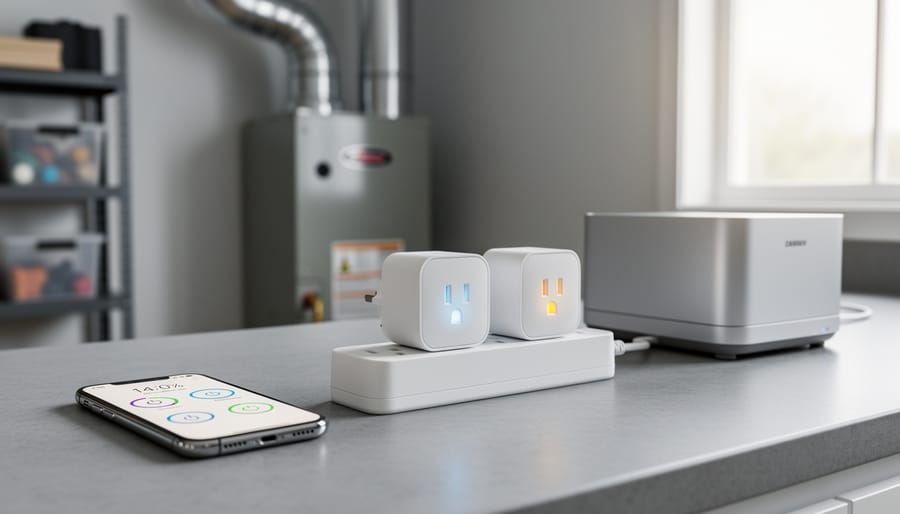
Smart plugs transform ordinary appliances into automated systems that reduce energy waste, simplify scheduling, and give facilities managers precise control over power consumption across commercial spaces. The right plug pairing an existing ecosystem, supports cross-platform Matter protocol, and offers power monitoring delivers measurable savings alongside operational flexibility. As facilities increasingly integrate energy-efficient lighting and other sustainable upgrades, smart plugs extend automation to HVAC units, commercial refrigeration, and non-critical equipment that can operate on optimized schedules.
Selecting the wrong plug introduces compatibility headaches, unreliable triggers, and wasted investment. Many facilities managers buy plugs based solely on price or brand familiarity, then discover their chosen model lacks the protocol support needed for complex automation routines or won’t integrate with third-party sensors and building management systems. The 2026 market offers better options than ever, including budget four-packs under $24 and Matter-enabled models that work seamlessly across Alexa, Google Home, and Apple HomeKit without vendor lock-in.
This guide establishes clear buying criteria first, compares plug types by connectivity protocol and use case, recommends current 2026 models matched to specific applications, and highlights common implementation mistakes that undermine automation reliability. Whether outfitting a single office or deploying dozens of plugs across multiple facilities, understanding how ecosystem compatibility, maximum amperage ratings, and scheduling granularity affect long-term performance prevents costly missteps and accelerates return on investment.
What to Look for in Smart Plugs for Appliance Control
Ecosystem Compatibility: Your First Filter
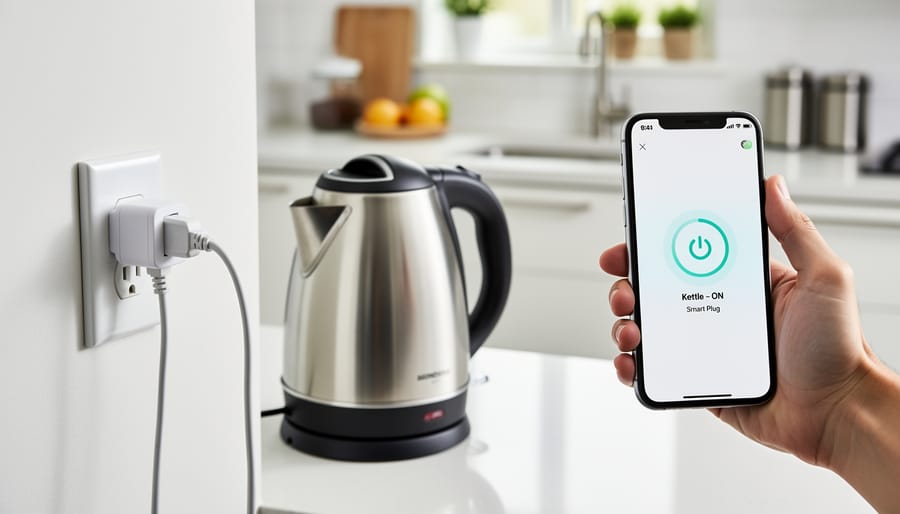
Your choice of ecosystem determines how you’ll control your smart plugs and what automation features you can use. Before considering any other specification, confirm that a plug works with the voice assistant and automation platform you already use or plan to adopt.
Most smart plugs support Amazon Alexa and Google Home out of the box, making these the most accessible options for voice control and routine creation. If you’ve invested in Amazon Echo devices or Google Nest speakers, you’ll find dozens of compatible plug options at every price point. Apple HomeKit compatibility is less common and typically commands a price premium, restricting your choices if you rely on Siri and the Home app for control.
This ecosystem fragmentation creates real limitations. A plug designed exclusively for Alexa won’t respond to Google Assistant commands, and vice versa. If you control in-cabinet lighting through one ecosystem and appliances through another, you’ll need separate apps and can’t coordinate automation across devices.
Matter connects major ecosystems by providing a unified standard, and Matter-enabled plugs work across Alexa, Google, and Apple platforms simultaneously. This cross-platform compatibility means you can set up a plug once and control it from any of your devices, regardless of manufacturer. For facilities managing multiple automation systems or households with mixed device preferences, Matter support eliminates the need to choose a single ecosystem upfront.
Matter and Future-Proofing Your Investment
Matter represents the smart home industry’s answer to years of fragmentation and compatibility headaches. Unlike older protocols that locked you into a single ecosystem, Matter runs over multiple network types, Thread, Wi-Fi, and Ethernet, giving you flexibility in how devices communicate. A Matter-enabled smart plug can work simultaneously with Alexa, Google Home, and Apple HomeKit without requiring separate versions or workarounds for each platform.
This cross-platform support translates to real protection for your investment. If you decide to switch from Alexa to Google Assistant three years from now, your Matter plugs keep working. If you add Apple devices to a primarily Google household, there’s no need to replace hardware. The protocol handles interoperability at the software level, so one plug serves all your automation platforms.
Thread support within Matter offers an additional advantage: mesh networking that doesn’t congest your Wi-Fi. Thread-enabled plugs create their own low-power network, routing signals through other Thread devices to extend range and reliability. For facilities adding multiple automated outlets, this architecture scales better than flooding a 2.4GHz Wi-Fi band with dozens of individual connections. While not every automation scenario demands Matter today, choosing it now means fewer compatibility surprises as your system grows.
Hub Requirements and Network Considerations
Most smart plugs connect directly to your home’s Wi-Fi network without requiring a separate hub, which simplifies initial setup and reduces equipment costs. These Wi-Fi-direct models work right out of the box, you plug them in, download the manufacturer’s app, and connect them to your network. However, nearly all require a 2.4GHz Wi-Fi connection rather than 5GHz. This matters because you’ll need to ensure your router broadcasts on 2.4GHz and that the signal reaches where you’re installing the plug. Thick walls, distance from the router, or interference from other devices can create connectivity issues.
Hub-based plugs using Zigbee or Thread protocols take a different approach. They require a compatible hub but create a mesh network where each plug strengthens the overall signal range. This reduces the load on your Wi-Fi network, particularly valuable if you’re deploying multiple plugs throughout a facility. Matter-enabled plugs offer flexibility here: they can run over Wi-Fi, Thread, or Ethernet depending on your network setup, giving you options to match your existing infrastructure rather than forcing a single connection method.
Power Monitoring and Energy Management
Power monitoring transforms a basic smart plug into an energy intelligence tool. Real-time consumption data lets you identify which appliances draw the most power, spot phantom loads from devices in standby mode, and calculate actual operating costs down to the kilowatt-hour. This visibility matters for facilities managers tracking energy budgets and homeowners working to reduce consumption.
The automation value comes from actionable alerts. When a refrigerator’s power draw suddenly drops, you know the compressor may be failing before food spoils. When a space heater exceeds expected wattage, you catch a safety issue immediately. These notifications prevent waste and equipment damage while supporting predictive maintenance schedules.
For commercial applications, power monitoring integrates with broader automation strategies like light layering to optimize entire facility energy profiles. You can schedule high-draw appliances during off-peak hours, verify that equipment actually powers down after closing, and generate consumption reports that inform sustainability initiatives. Not every smart plug includes monitoring capability, basic models skip this feature entirely, so confirm metering support if energy management drives your automation goals.
Types of Smart Plugs by Protocol and Design
Wi-Fi Smart Plugs
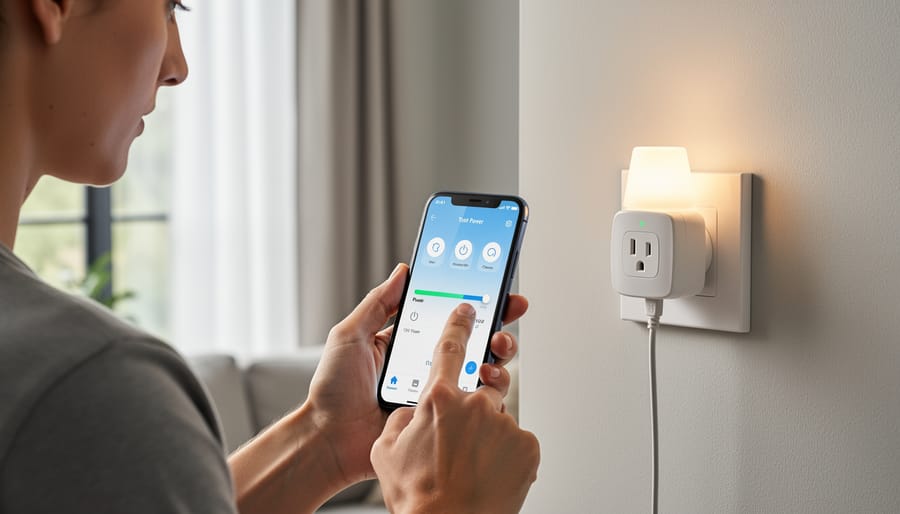
Wi-Fi smart plugs connect directly to your home’s 2.4GHz wireless network without requiring a separate hub, making them the simplest and most popular option for getting started with appliance automation. You plug them into an outlet, download the manufacturer’s app, and complete a quick pairing process, typically under five minutes from unboxing to first automation.
This simplicity makes Wi-Fi plugs ideal for controlling individual appliances like coffee makers, fans, LED light strips or small electronics where you want straightforward scheduling or voice control. They work independently, so adding a single plug to your home requires no other infrastructure investment. For facilities managers testing automation with a handful of devices, this low barrier to entry allows proof-of-concept deployments without upfront hub costs.
The trade-off emerges at scale. Each Wi-Fi plug occupies a slot on your router’s 2.4GHz band, which typically handles 20 to 30 simultaneous connections before performance degrades. Deploy a dozen Wi-Fi plugs alongside existing devices, phones, tablets, printers, security cameras, and you may encounter dropped connections or sluggish response times. In commercial settings with many automated outlets, this network congestion becomes a genuine operational concern. Wi-Fi plugs also depend entirely on your internet connection: if your router fails or your ISP has an outage, local control disappears even though the plugs themselves still have power.
Zigbee and Hub-Based Options
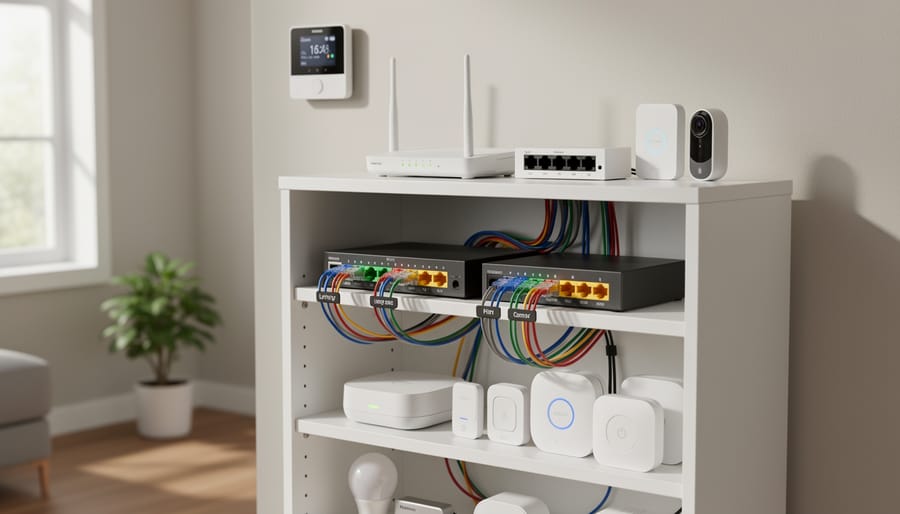
Zigbee smart plugs require a compatible hub, like a SmartThings, Hubitat, or Philips Hue bridge, but deliver meaningful advantages for larger automation deployments. The hub acts as the central coordinator, creating a mesh network where each plug extends signal range by acting as a repeater. This architecture reduces strain on your Wi-Fi network, particularly valuable in commercial settings or homes with dozens of smart devices competing for bandwidth.
The mesh design also improves reliability. If one plug loses direct contact with the hub, the signal routes through nearby devices automatically. This self-healing characteristic makes Zigbee installations more resilient than Wi-Fi configurations that rely on a single router connection per device.
Hub-based plugs often support firmware updates that occur in the background, without interrupting power to connected appliances, critical for equipment requiring continuous operation like refrigeration units or security systems. The tradeoff is upfront complexity: you’ll need to purchase and maintain the hub, and setup involves pairing devices through the hub’s interface rather than connecting directly through an app. For facilities managers automating multiple zones or users planning significant smart home expansion, the infrastructure investment pays off through improved network performance and operational stability.
Matter-Enabled Plugs
Matter-enabled smart plugs represent the newest generation of automation hardware, designed to eliminate the compatibility headaches that have plagued smart home ecosystems. These plugs run the Matter protocol over Thread, Wi-Fi, or Ethernet, giving you genuine cross-platform flexibility. A Matter-enabled plug works seamlessly across Alexa, Google, and Apple simultaneously, not just one ecosystem. This means you can control the same plug with an iPhone in the morning and an Alexa speaker in the evening without reconfiguration.
The practical advantage shows up when you expand your automation setup. If you start with Alexa but later add Apple HomeKit devices, Matter plugs integrate without replacement or complicated workarounds. Thread-based Matter plugs also create mesh networks that improve reliability and reduce Wi-Fi congestion, particularly valuable when deploying multiple devices across a facility. While Matter-enabled options currently cost slightly more than basic Wi-Fi models, they offer the strongest protection against ecosystem obsolescence and simplify multi-platform automation scenarios that would otherwise require duplicate devices.
Form Factor Considerations
Smart plug dimensions matter more than most buyers realize, especially when working with power strips or wall outlets near furniture. Ultra-mini designs like the Kasa Smart Plug Ultra Mini measure roughly half the width of standard plugs, letting you use both outlets in a duplex receptacle without blocking the second socket. This compact advantage becomes critical in high-density installations where every outlet counts.
Standard-sized plugs typically extend 2-3 inches from the wall and can interfere with adjacent outlets or furniture placement. Consider outlet location before buying: plugs installed behind sofas or entertainment centers need low-profile designs to prevent furniture from pressing against them, which can stress the connection or damage the plug housing over time.
For outdoor or industrial applications, some models include weatherproof housings that add bulk but provide essential protection. Weigh the physical footprint against your installation environment, a few millimeters can determine whether a plug fits your space or forces you to rewire your automation plan.
2026 Smart Plug Recommendations for Appliance Automation
Best Overall: Govee Smart Plug (4 Pack)
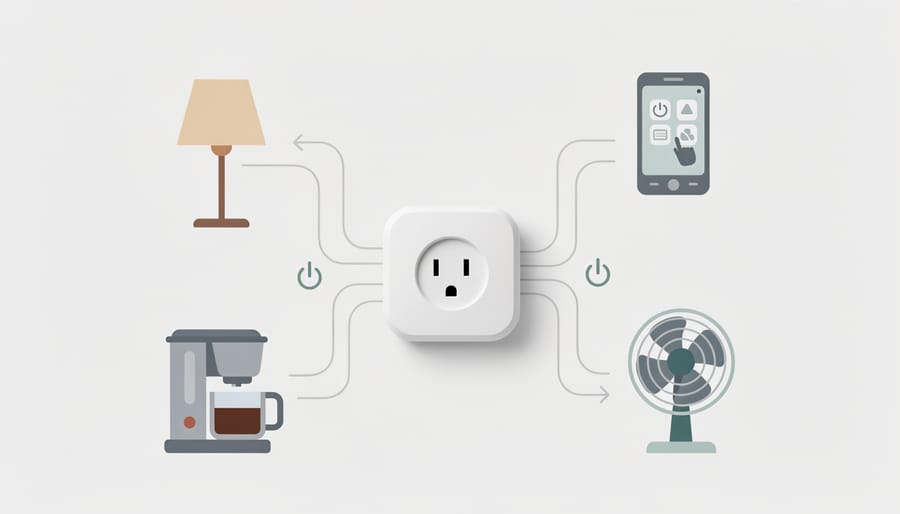
The Govee Smart Plug (4 Pack) earns the overall recommendation because it delivers the features that matter most for appliance automation without forcing compromises. You get reliable Wi-Fi connectivity through standard 2.4GHz networks, broad compatibility with Amazon Alexa and Google Home, and enough outlets in the pack to cover multiple appliances without buying additional units. The four-pack format offers better value than purchasing singles while giving you flexibility to automate several devices, a coffee maker, a space heater, a fan, and a lamp, for instance, in one purchase.
What sets this option apart is the balance between capability and practical implementation. The plugs connect directly without requiring a separate hub, which simplifies setup for both residential users and facilities managers deploying automation across multiple spaces. They handle typical household and light commercial appliances reliably, and the pack size means you’re not paying premium prices for features you won’t use while still getting the core automation functions that justify the investment.
Most Reliable/Mini: Kasa Smart Plug Ultra Mini 15A
The Kasa Smart Plug Ultra Mini 15A earns its reliability recommendation through a combination of compact engineering and consistent performance in real-world installations. Its miniature footprint solves a persistent problem: outlet crowding. Unlike standard smart plugs that block adjacent sockets, this model sits flush against the wall, letting you stack multiple plugs on a single power strip or use both outlets in a duplex receptacle without interference.
The 15A rating handles demanding appliances, coffee makers, space heaters, kitchen equipment, without the voltage sag or overheating issues that plague cheaper alternatives. For facilities managers outfitting multiple locations or homeowners automating several appliances, this combination of small size and full power capacity matters more than flashy features. The plug works reliably across 2.4GHz networks without requiring firmware babysitting, and Kasa’s app interface remains straightforward enough for non-technical staff to manage schedules and monitor status. In tight installation contexts where physical space constrains your options, the Ultra Mini delivers automation capability without compromise.
Best for Cross-Platform: Linkind Matter Smart Plug
The Linkind Matter Smart Plug stands out as the top choice for anyone committed to Apple HomeKit or planning to mix devices across multiple platforms. Matter support means this plug operates seamlessly with Alexa, Google Assistant, and Apple Home without forcing you into a single ecosystem, a significant advantage if you’re managing diverse devices or anticipating future platform changes.
Matter’s architecture, running over Thread, Wi-Fi, and Ethernet, delivers more reliable communication than traditional Wi-Fi-only plugs. This translates to faster response times and fewer dropped connections, particularly valuable when automating appliances that require consistent control. The cross-platform flexibility also protects your investment: if you switch from Android to iPhone or add Google speakers to an Alexa-dominated setup, your smart plugs continue working without replacement.
For facilities managers coordinating automation across properties with varied tech stacks, or homeowners who refuse to commit exclusively to one voice assistant, the Linkind eliminates compatibility headaches while maintaining the automation features essential for appliance control.
Budget-Conscious Options
Budget decisions shouldn’t mean sacrificing reliability. The Amazon Basics Smart Plug delivers exactly what Alexa users need: voice control, scheduling, and remote access for under $24 per four-pack. This Wi-Fi option connects directly to your 2.4GHz network without requiring a hub, making setup straightforward for anyone already using Alexa devices. The tradeoff is clear, you’re locked into the Amazon ecosystem, so if you plan to add Google Home or Apple devices later, factor that limitation into your decision now.
For Google Home users seeking compact value, the GHome Smart Plug Mini earns recognition as the best compact choice. Its smaller footprint means you won’t block adjacent outlets in crowded power strips, a practical consideration that budget shoppers often overlook until installation day.
The Amazon Smart Plug stands out as the Best Certified for Humans option within the Alexa ecosystem, indicating tested ease of setup and reliable operation. While this designation adds a few dollars to the price compared to the Basics model, it reduces the likelihood of troubleshooting headaches, time that costs money in commercial settings.
Prices fluctuate based on promotions and retailer competition, but the value equation remains consistent: divide the pack price by the number of plugs, then assess whether the included features match your automation needs. A four-dollar-per-plug option that lacks power monitoring may cost more long-term than a seven-dollar alternative that helps identify energy waste.
Specialized Features Worth Considering
Beyond the standard on/off control and scheduling features, certain smart plugs offer specialized capabilities that prove invaluable for facilities managers and users running critical automation systems. Power monitoring with alert triggers stands out as particularly useful, these plugs detect unexpected power consumption changes and notify you immediately, allowing you to catch malfunctioning equipment before it fails completely or wastes significant energy. This feature transforms a simple smart plug into a diagnostic tool for appliances like refrigerators, HVAC units, or industrial equipment that should maintain consistent power draw patterns.
Some advanced models include metering-only mode, which continues monitoring and logging energy consumption even when automation is disabled. This proves essential for facilities that need continuous data collection without risking accidental shutoffs of critical equipment. Similarly, firmware updates without power interruption ensure your plugs stay current with security patches and feature improvements while connected appliances continue running uninterrupted, a crucial consideration for commercial environments where downtime carries real costs.
For installations requiring professional-grade reliability, look for plugs with repeater functionality that strengthen mesh networks, rated amperage specifications clearly stated for high-draw appliances, and compatibility with professional automation platforms beyond consumer smart home ecosystems. These specialized features typically cost modestly more but deliver substantial value when automation reliability directly impacts operations.
Common Mistakes to Avoid When Buying Smart Plugs
Ignoring Ecosystem Lock-In
Buying smart plugs that work with only one ecosystem seems harmless when you’re starting out, but it creates headaches down the line. If you purchase Alexa-only plugs now and later decide to add a Google Nest display or switch to Apple HomeKit, those plugs won’t respond to your new devices. You’ll face replacing them entirely or managing multiple separate control systems, neither option is appealing when you’re trying to simplify automation.
This lock-in affects commercial installations more severely than home setups. A facilities manager who deploys dozens of Alexa-specific plugs across a building can’t easily migrate to a different platform without substantial replacement costs. The safer approach is choosing Matter-enabled plugs from the start, which work across Alexa, Google, and Apple without forcing you into a single vendor’s ecosystem. You’ll pay slightly more upfront, but you’ll avoid the frustration and expense of incompatibility when your automation needs evolve.
Overlooking Power Rating Requirements
Most smart plugs carry a 15A rating, which handles everyday appliances like lamps, fans, and small electronics without issue. The problem surfaces when you plug in space heaters, coffee makers, or workshop equipment that draw 12-15A continuously. Running an appliance at or near a plug’s maximum capacity generates heat, accelerates wear, and risks tripping the internal relay or damaging the device entirely.
Commercial and industrial settings compound this risk. A vending machine, industrial fan, or heated display case running 24/7 needs overhead in the power rating, ideally 20-25% below the plug’s maximum. A 15A-rated plug supporting a 12A appliance leaves minimal safety margin for startup surges or voltage fluctuations common in older facilities.
Check the appliance nameplate for amperage draw before buying any smart plug. If the appliance pulls more than 12A continuous or shows high inrush current at startup, standard smart plugs won’t work reliably. You’ll need hardwired smart switches or industrial-grade automation relays instead. Matching power ratings properly prevents nuisance disconnections, ensures warranty coverage, and protects both the plug and the appliance from preventable failure.
Assuming All Smart Plugs Monitor Energy
Many buyers assume power monitoring is standard across all smart plugs, but it’s actually an optional feature found only in mid-range and premium models. Basic plugs, including popular budget four-packs under $24, offer on/off control through voice commands and apps but provide zero visibility into energy consumption. For facilities managers tracking sustainability targets or identifying energy waste, this renders the plug nearly useless beyond simple scheduling. Before purchasing, verify that “energy monitoring” or “power metering” appears explicitly in the specifications. Without it, you’ll automate control but miss the consumption data needed to justify your automation investment or identify which appliances drain resources during idle periods.
Neglecting Network Infrastructure
Wi-Fi smart plugs connect to your 2.4GHz network, and each device consumes bandwidth and router capacity. Deploy a dozen plugs across a home or commercial facility and you risk network congestion, dropped connections, and sluggish response times for automation routines. The 2.4GHz band handles traffic from phones, tablets, security cameras, and other smart devices, so adding multiple plugs compounds the load. Commercial settings with higher device counts face this problem faster than residential users.
Plan your network capacity before buying. If you’re deploying more than eight to ten Wi-Fi plugs, consider hub-based Zigbee options or Thread-enabled Matter plugs that create their own mesh networks separate from your Wi-Fi infrastructure, preserving bandwidth for devices that genuinely need it.
What to Look For
When shopping for smart plugs to automate your appliances, prioritize compatibility with your existing smart home ecosystem first. Most plugs work with Amazon Alexa and Google Home, but Apple HomeKit support is less common. Matter-enabled plugs offer the most flexibility, running over Thread, Wi-Fi, or Ethernet to work across Alexa, Google, and Apple platforms without locking you into one ecosystem.
Power monitoring capabilities separate basic remote switches from genuine energy management tools. Look for plugs that track real-time consumption and send alerts when usage patterns change, helping you identify appliances that waste energy and optimize operational costs.
Consider whether you need a hub-based system or direct Wi-Fi connection. Wi-Fi plugs connect to your 2.4GHz network without additional hardware, making setup simple. Hub-based options reduce network congestion and often provide mesh networking benefits, particularly useful when automating multiple devices alongside smart bulbs or outdoor smart bulbs.
Finally, check the amperage rating matches your appliances’ requirements, especially for commercial applications or high-draw devices, and verify the physical form factor won’t block adjacent outlets.
Main Options Compared
When choosing smart plugs for appliance automation, you’re essentially deciding between three main protocol approaches, each with distinct trade-offs for reliability, network impact, and ecosystem flexibility.
Wi-Fi smart plugs connect directly to your 2.4GHz network without requiring a hub, making them the simplest option for getting started. They work immediately after setup and typically cost less upfront. However, adding multiple Wi-Fi plugs can strain your network, particularly in commercial environments where dozens of devices compete for bandwidth. If you’re automating three to five appliances in a home, this approach works fine. Beyond that, you’ll notice network congestion.
Hub-based plugs using Zigbee require an initial investment in a compatible hub, but they create a dedicated mesh network that doesn’t burden your Wi-Fi. Each plug acts as a repeater, extending range and improving reliability as you add more devices. This architecture suits facilities deploying twenty or more smart plugs, where network stability matters more than avoiding hub costs.
Matter-enabled plugs offer the newest approach, running over Wi-Fi, Thread, or Ethernet depending on the model. They work across Alexa, Google, and Apple ecosystems without locking you into a single platform. Thread-based Matter plugs deliver the mesh benefits of Zigbee while maintaining cross-platform compatibility, making them ideal if you’re building automation that needs to work with multiple voice assistants or if you expect your ecosystem preferences to change.
Frequently Asked Questions About Smart Plugs for Automation
Do all smart plugs work with all voice assistants?
No. Most smart plugs support Amazon Alexa and Google Home, but fewer support Apple HomeKit. Matter-enabled plugs offer the widest compatibility, working across Alexa, Google, and Apple ecosystems without platform lock-in.
Do I need a hub for smart plugs?
It depends on the protocol. Wi-Fi smart plugs connect directly to your 2.4GHz network without requiring a hub, while Zigbee-based plugs need a compatible hub to function. Matter plugs can run over Thread, Wi-Fi, or Ethernet depending on your network setup.
Can smart plugs actually reduce energy costs?
Smart plugs with power monitoring let you track real-time energy consumption and identify wasteful appliances. The savings come from eliminating phantom power draw by scheduling appliances to turn off completely rather than staying on standby, though results vary based on your specific usage patterns.
Will smart plugs work during internet outages?
Functionality varies by model and protocol. Wi-Fi plugs typically lose remote control and automation features without internet access, though some retain local schedules. Hub-based systems like Zigbee often maintain local control, and Matter plugs running over Thread can continue local automation even when your internet connection drops.
How many smart plugs can I use on one circuit?
Standard residential circuits handle 15 or 20 amps total. Calculate the combined amperage of all devices on the circuit, if you’re running high-draw appliances like space heaters or power tools through smart plugs, account for their full load to avoid tripping breakers. Distribute high-consumption appliances across multiple circuits rather than clustering them.
Beyond these common concerns, setup complexity often worries first-time buyers. Modern smart plugs have streamlined installation significantly, most Wi-Fi models connect through a smartphone app in under five minutes without technical expertise. You scan a QR code, connect the plug to your 2.4GHz network, and assign it to a room. Matter plugs simplify this further with standardized pairing across platforms.
Reliability questions usually centre on whether smart plugs will fail at critical moments. Quality matters here: established brands like Kasa and Govee have proven track records for consistent performance, while ultra-cheap alternatives sometimes drop connections or require frequent reboots. For appliances where failure causes real problems, sump pumps, refrigerators, medical equipment, stick with plugs that support firmware updates and have responsive customer support.
The verification of actual energy savings deserves attention because marketing claims often exaggerate potential. A smart plug that monitors a device drawing five watts on standby might save you three dollars annually if you automate it to switch off overnight. Multiply that across ten devices and the savings become meaningful, but don’t expect dramatic reductions unless you’re currently leaving high-draw appliances running unnecessarily. The real value comes from visibility, power monitoring reveals which devices consume more than expected, letting you make informed decisions about replacement or usage changes.
Choosing the right smart plug starts with understanding your ecosystem. If you’re already invested in Alexa, Google Home, or Apple HomeKit, that narrows your initial options. But if you’re building a new system or want flexibility as your needs evolve, Matter-enabled plugs offer genuine future-proofing by working across all three platforms without forcing you into a single vendor’s walled garden.
Power monitoring isn’t a universal feature, yet it’s essential if your automation goals include energy management or sustainable operation. A plug that tracks consumption and alerts you to unexpected power changes transforms from a simple remote switch into a diagnostic tool that can catch failing equipment or optimize usage patterns. For facilities managers and commercial applications, this capability justifies a higher upfront cost through operational insights and efficiency gains.
Form factor matters more than most buyers anticipate. An ultra-mini design prevents the frustration of blocked outlets and allows denser installations where every socket counts. For residential users automating lamps and small appliances, compact plugs disappear behind furniture. In commercial settings with equipment racks or dense wall plates, they’re often the difference between a clean installation and a compromise.
The smart plug market rewards thoughtful specification over bargain hunting. Match your purchase to your actual automation objectives, prioritize compatibility and monitoring capabilities that serve your use case, and recognize that the cheapest option often omits the features that make appliance automation genuinely useful for energy-conscious, sustainable technology adoption.